Day: September 16, 2025

  • How to setup a chatbot for a hair salon

    How to setup a chatbot for a hair salon

    Running a hair salon means juggling appointments, answering the same questions dozens of times a day, and trying to provide top-notch customer service while actually doing hair. What if you could automate the repetitive stuff and focus on what you do best?

    Enter AI chatbots. These digital assistants can handle appointment booking, answer common questions about your services, and even collect customer information, all while you’re busy making your clients look fabulous.

    Here’s everything you need to know about setting up a chatbot for your hair salon that actually works.

    What is a hair salon chatbot and why do you need one?
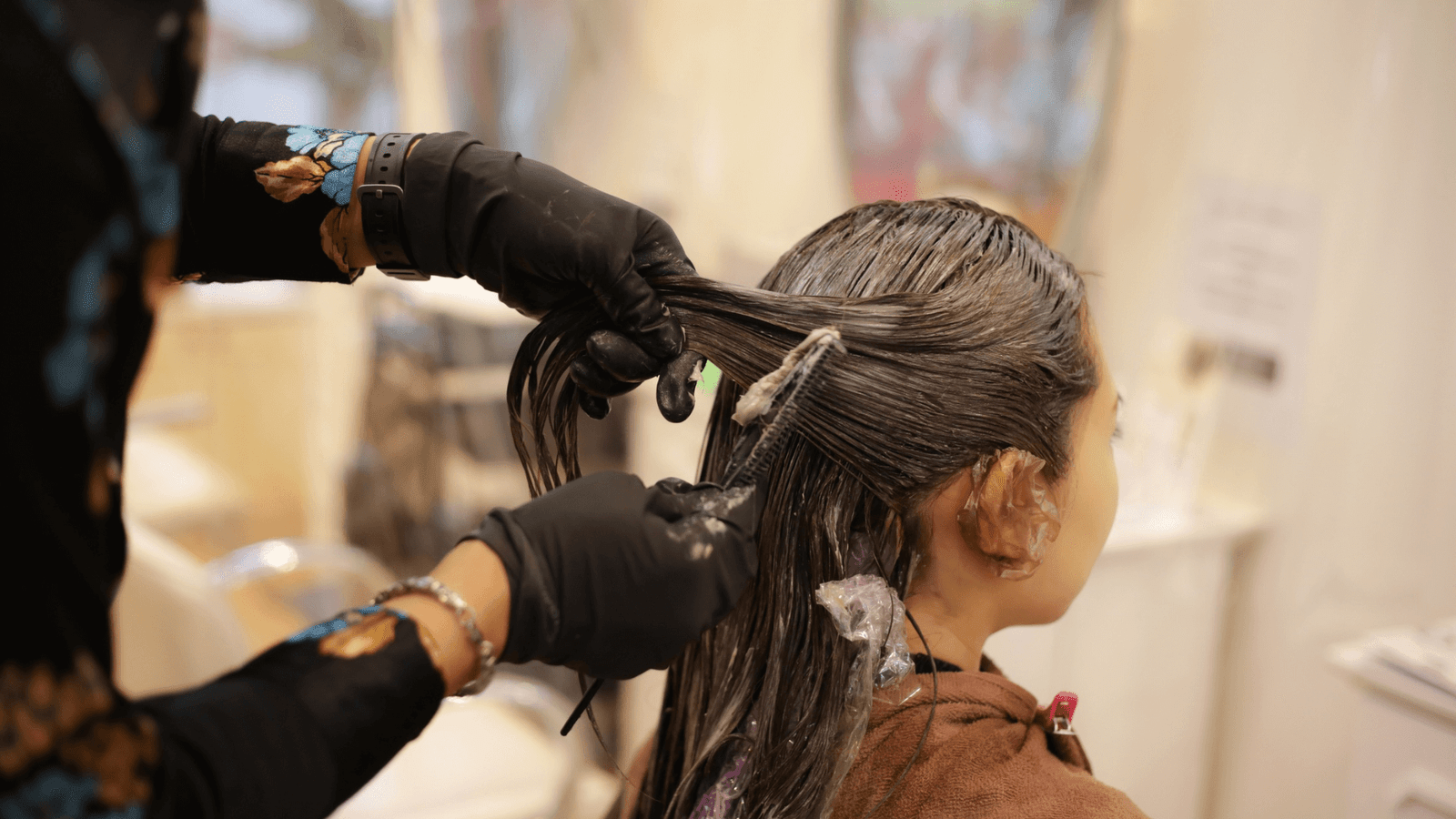
    What is a hair salon chatbot and why do you need one

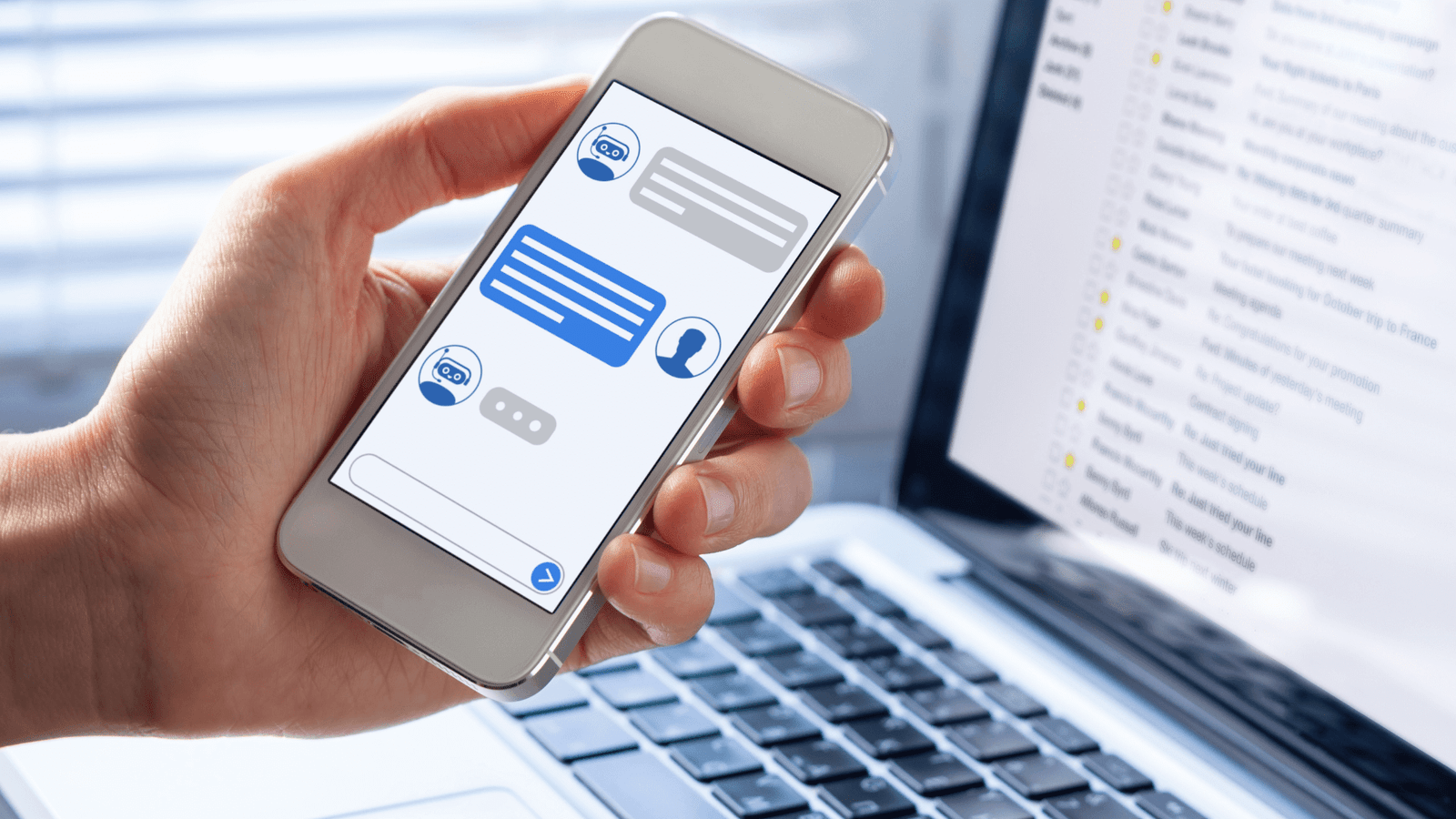
    A hair salon chatbot is an AI-powered assistant that can interact with your customers through your website, social media, or messaging apps. It can handle routine tasks that would otherwise require your staff’s attention.

    For hair salons specifically, chatbots excel at:

    Appointment scheduling: Customers can book, reschedule, or cancel appointments 24/7, even when your salon is closed.

    Service information: Instantly answer questions about pricing, services, products, and stylist availability.

    Customer data collection: Gather contact information, service preferences, and hair history before appointments.

    FAQ handling: Respond to common questions about hours, location, parking, and policies.

    Product recommendations: Suggest hair care products based on customer needs and hair type.

    The result? Your staff spends less time on the phone and more time with clients, while customers get instant answers whenever they need them.

    Choosing the right chatbot platform for your salon

    Two standout platforms work particularly well for hair salons: Answerly and Chatbase. Both offer unique advantages depending on your needs and technical comfort level.

    Answerly excels at comprehensive customer support with advanced features designed for service businesses. It offers real-time training, multiple AI model support, and seamless data collection capabilities.

    Chatbase provides a user-friendly setup process and strong integration options, making it ideal for salons wanting a straightforward solution.

    Both platforms offer free tiers to get started, so you can test which works best for your salon’s specific needs.

    How to set up your chatbot with Answerly
    Answerly

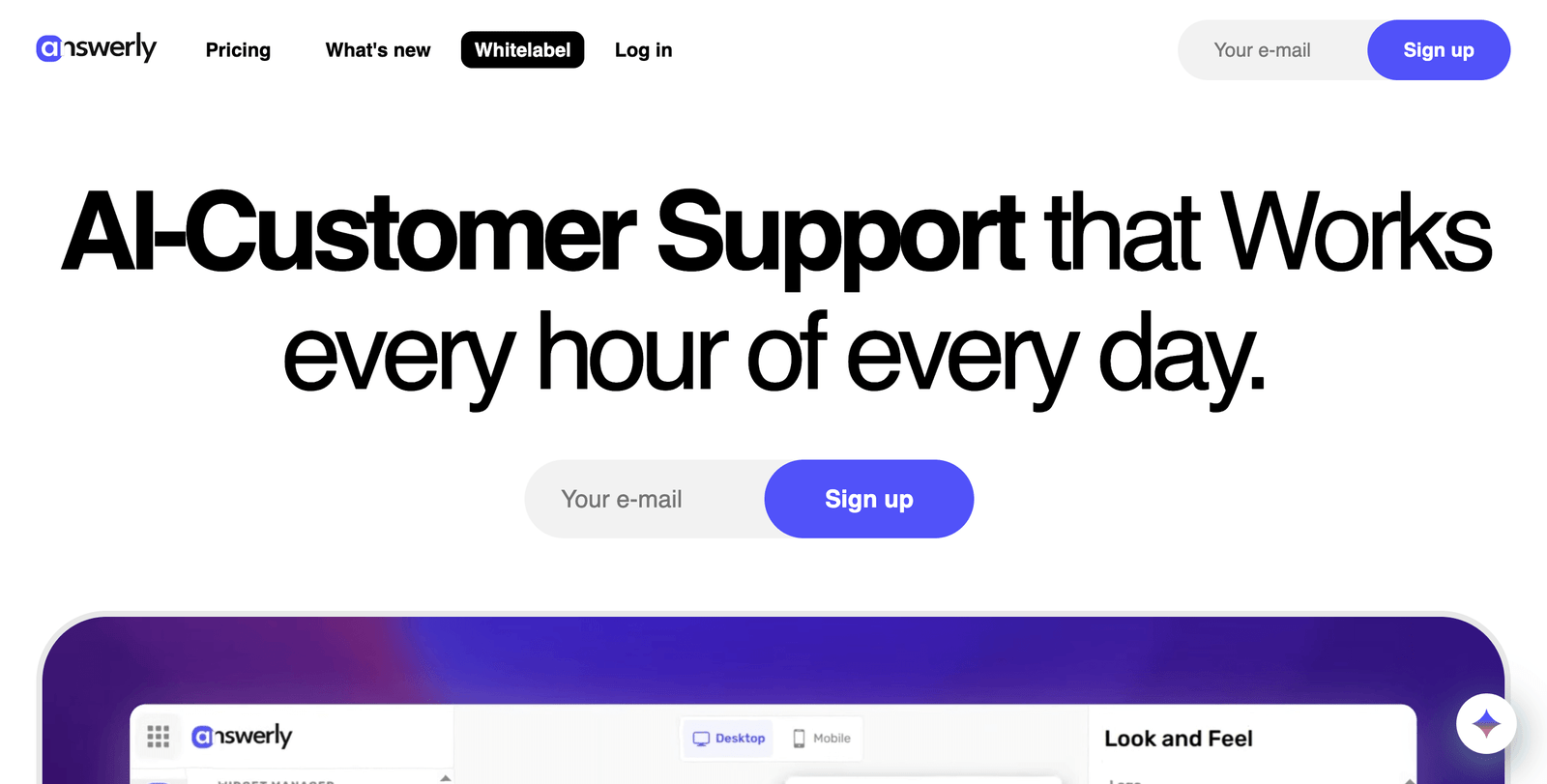
    Answerly makes it incredibly easy to train an AI assistant that understands your salon’s unique services and personality.

    Create your Answerly account

    Go to https://answerly.io/ and sign up for a free account. You’ll get one AI agent, one website integration, and basic features to start.

    Train your AI in seconds

    Answerly offers multiple training methods perfect for salons:

    Website training: Simply enter your salon’s website URL, and Answerly will automatically crawl and learn from your existing content about services, pricing, and policies.

    QA Pairs: Create specific question-and-answer combinations for common salon inquiries:

    • “What are your hours?” → “We’re open Tuesday-Saturday, 9am-7pm, and Sunday 10am-5pm.”
    • “Do you take walk-ins?” → “We accept walk-ins based on availability, but appointments are recommended.”

    Document upload: Upload your service menu, price list, or staff bios as PDF files to give your chatbot comprehensive knowledge about your offerings.

    Google Sheets integration: Maintain your chatbot’s knowledge base in a Google Sheet for easy updates when prices or services change.

    Set up appointment booking

    Configure Answerly to collect essential booking information:

    • Preferred date and time
    • Service type (cut, color, highlights, etc.)
    • Stylist preference
    • Contact information
    • Special requests or hair concerns

    The AI will guide customers through a conversational booking process and can even embed a calendar directly in the chat for real-time scheduling.

    Customize your chatbot’s personality

    Make your chatbot sound authentically you by:

    • Setting a friendly, professional name (many salons use names that match their brand)
    • Writing personality guidelines that reflect your salon’s voice
    • Adding your salon’s specific terminology and service descriptions

    Install on your website

    Answerly provides a simple embed code to add the chatbot widget to your website. The widget is fully customizable to match your salon’s branding, colors, and style.

    How to set up your chatbot with Chatbase
     Chatbase

    Chatbase offers another excellent option for salons seeking a streamlined setup process.

    Sign up for Chatbase

    Visit https://www.chatbase.co/ and create your account. Their free tier allows you to test the platform with basic features.

    Upload your salon’s information

    Chatbase excels at learning from documents and websites. Upload:

    • Your service menu and pricing
    • Staff biographies and specialties
    • Salon policies and procedures
    • Frequently asked questions

    Train with specific salon scenarios

    Create training conversations that cover typical salon interactions:

    • Booking appointments for different services
    • Explaining the difference between highlights and balayage
    • Discussing maintenance schedules for color treatments
    • Handling cancellation and rescheduling requests

    Configure integrations

    Connect your chatbot to your existing booking system or calendar app to enable real-time appointment scheduling.

    Deploy across multiple channels

    Chatbase allows you to deploy your chatbot on your website, Facebook Messenger, and other messaging platforms where your customers already spend time.

    Training your chatbot with salon-specific information

    Regardless of which platform you choose, your chatbot needs comprehensive training on salon-specific topics.

    Essential knowledge areas:

    Services and pricing: Include detailed descriptions of every service you offer, from basic cuts to complex color treatments. Be specific about what’s included and typical timing.

    Stylist information: Provide background on each team member’s specialties, experience, and availability to help customers choose the right fit.

    Product knowledge: Train your chatbot on the hair care products you carry, including which products work best for different hair types and concerns.

    Booking policies: Clearly explain your cancellation policy, deposit requirements, consultation processes, and any other booking-related rules.

    Aftercare instructions: Provide guidance on maintaining cuts, caring for colored hair, and extending the life of treatments.

    Tip:

    Start with your most frequently asked questions and gradually expand your chatbot’s knowledge base. Monitor conversations to identify gaps where the chatbot struggles to help customers.

    Essential features every salon chatbot needs

    Essential features every salon chatbot needs

    Appointment booking capabilities

    Your chatbot should seamlessly guide customers through scheduling appointments, including:

    • Service selection with clear descriptions
    • Stylist availability and preferences
    • Time slot suggestions based on service duration
    • Contact information collection
    • Confirmation and reminder setup

    Smart service recommendations

    Train your chatbot to ask qualifying questions and suggest appropriate services:

    • “How long has it been since your last color?”
    • “What’s your current hair care routine?”
    • “Are you looking for a dramatic change or maintenance?”

    Visual responses

    Include photos of different services, cuts, and color options to help customers visualize what they want. Both Answerly and Chatbase support image responses.

    Escalation to human staff

    Set up smooth transitions to human staff for complex questions, emergencies, or when customers specifically request to speak with someone.

    Data collection

    Capture valuable customer information including:

    • Contact details for follow-up marketing
    • Service history and preferences
    • Hair goals and inspiration photos
    • Allergies or sensitivities

    Best practices for salon chatbot conversations

    Keep responses conversational and warm

    Your chatbot should reflect your salon’s personality. Use friendly, welcoming language that makes customers feel comfortable discussing their hair goals.

    Provide specific, actionable information

    Instead of vague responses, give detailed information:

    • “A full highlight service takes 2-3 hours and starts at $150”
    • “We recommend touching up roots every 6-8 weeks for optimal color”

    Use qualifying questions

    Help customers find exactly what they need by asking smart follow-up questions:

    • “Is this your first time coloring your hair?”
    • “Are you looking to go lighter or darker?”
    • “Do you prefer low-maintenance or high-impact styles?”

    Handle common objections gracefully

    Train your chatbot to address typical concerns:

    • Price sensitivity: “We offer consultations to discuss options within your budget”
    • Time constraints: “We have express services available for quick touch-ups”
    • Damage concerns: “Our stylists specialize in healthy hair treatments”

    Measuring your chatbot’s success

    Track these key metrics to ensure your chatbot is delivering value:

    Conversion metrics:

    • Appointment bookings through the chatbot
    • Information requests that lead to bookings
    • Customer satisfaction ratings

    Efficiency metrics:

    • Reduction in phone calls for basic information
    • Time saved by staff on routine inquiries
    • After-hours engagement rates

    Customer experience metrics:

    • Chat completion rates
    • Most common exit points
    • Customer feedback on chatbot interactions

    Business impact:

    • Increase in new customer bookings
    • Improved booking confirmation rates
    • Revenue generated through chatbot interactions

    Features to consider

    Once your basic chatbot is running smoothly, consider adding these advanced capabilities:

    SMS integration

    Allow customers to text your chatbot directly for quick questions and appointment reminders.

    Social media integration

    Deploy your chatbot on Facebook Messenger and Instagram to meet customers where they already engage with your brand.

    Multilingual support

    If you serve diverse communities, train your chatbot to communicate in multiple languages.

    Seasonal promotions

    Program your chatbot to mention current specials, holiday packages, or seasonal color trends.

    Client history access

    For returning customers, enable your chatbot to reference previous services and suggest appropriate follow-up treatments.

    Getting started today

    Setting up a chatbot for your hair salon doesn’t require technical expertise or a huge budget. Both Answerly and Chatbase offer free tiers that let you experiment and prove the value before investing in premium features.

    Start by identifying your salon’s most common customer questions and pain points. Then choose the platform that best fits your needs and begin training your AI assistant with that essential information.

    Within a few hours, you can have a working chatbot that handles appointment bookings and answers basic questions. From there, you can gradually expand its capabilities based on your customers’ needs and your staff’s feedback.

    The investment in time and setup will pay dividends in improved customer service, increased bookings, and more time for you and your team to focus on creating beautiful hair.

    Your customers want convenient, instant access to information and booking. A well-configured chatbot gives them exactly that while growing your business in the process.


    salons ai cta

  • How to convert hair salon website visitors into customers

    How to convert hair salon website visitors into customers

    Your salon’s website gets traffic, but visitors keep leaving without booking appointments. Sound familiar? You’re not alone. The average website conversion rate for service businesses hovers around 2-3%, meaning 97% of your potential clients are slipping away.

    The good news? With the right tools and strategies, you can transform those casual browsers into loyal, paying customers. Here’s everything you need to know about turning your website visitors into booked appointments.

    What’s stopping salon visitors from booking?

    Before diving into solutions, let’s identify the common barriers that prevent website visitors from becoming customers:

    Complicated booking processes – If visitors can’t easily see your availability or book an appointment in a few clicks, they’ll go elsewhere.

    Limited availability visibility – Potential clients want to see open time slots immediately, not play phone tag to find an appointment.

    Lack of online payment options – Modern consumers expect to pay online when they book, not just at their appointment.

    Missing service information – Unclear pricing, service descriptions, or stylist information creates hesitation.

    No mobile optimization – With most salon searches happening on mobile devices, a poor mobile experience kills conversions.

    How to streamline your booking process

    The key to converting visitors lies in making the booking process as frictionless as possible. Your website should function as a 24/7 receptionist that never takes a break.

    Implement online appointment scheduling

    trafft

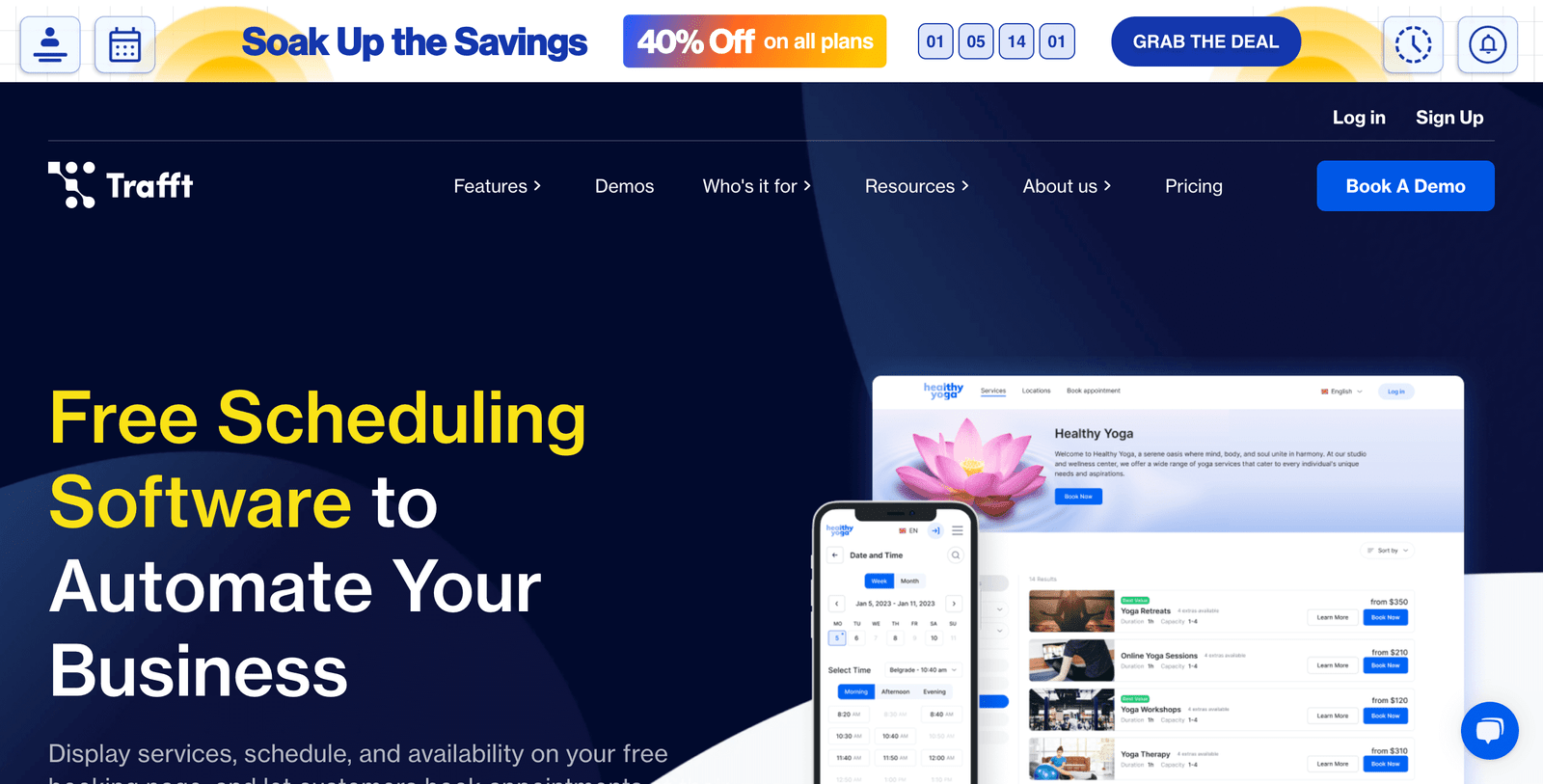
    The most effective way to convert website visitors is through an integrated booking system. Trafft offers comprehensive scheduling software designed specifically for service-based businesses including salons.

    With online scheduling, you can:

    • Display real-time availability 24/7
    • Allow clients to book appointments at their convenience
    • Reduce phone calls and administrative time
    • Capture bookings even when your salon is closed

     Create a dedicated booking page

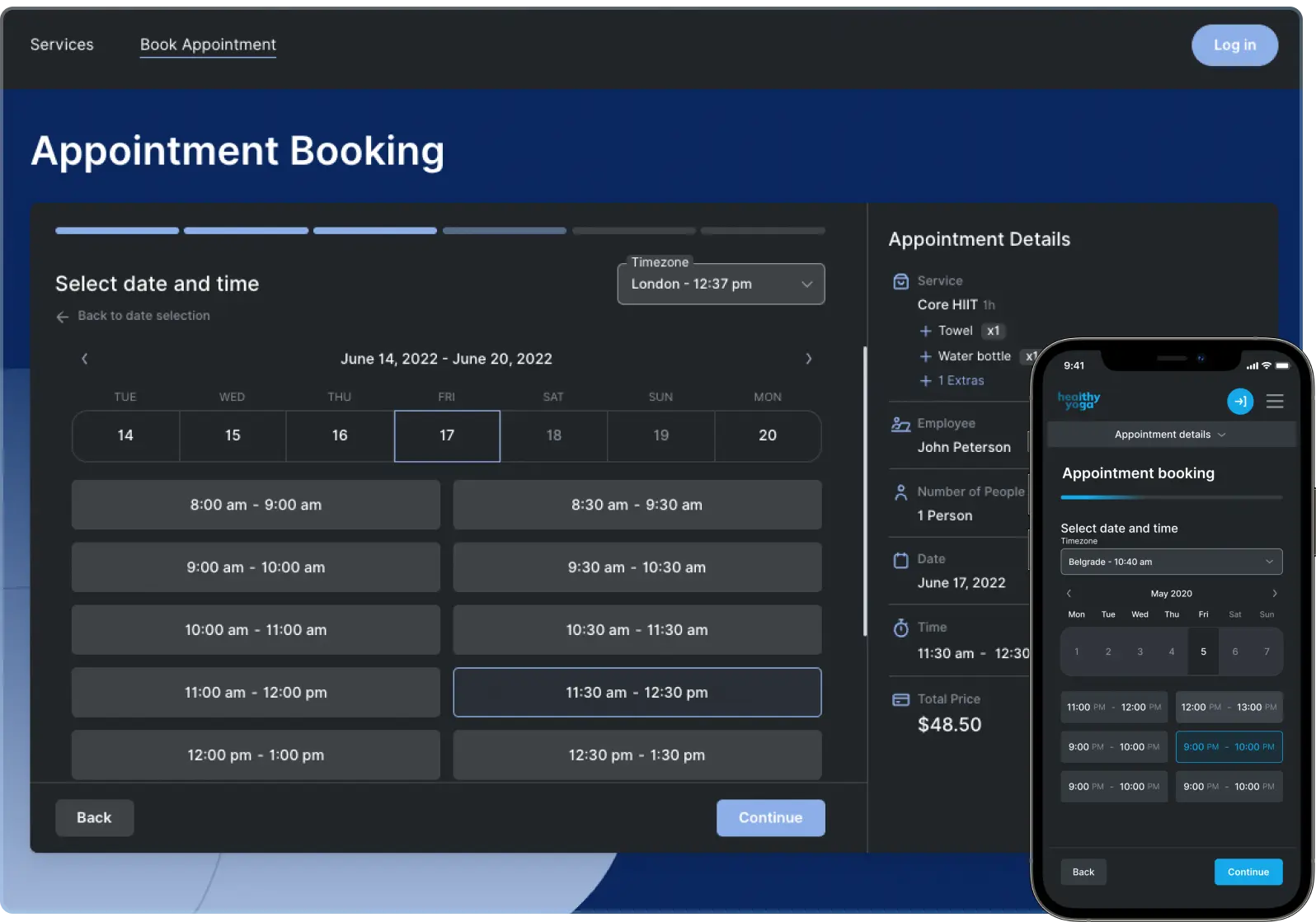
    Your booking page should be easily accessible from every part of your website. Trafft provides beautiful, fully functional booking websites that you can customize to match your salon’s branding.

    Key elements for an effective booking page:

    Clear service menu – List all services with descriptions and pricing Staff profilesHelp clients choose their preferred stylist Available time slots – Show real-time availability Easy navigation – Simple, intuitive booking flow

    Embed booking forms throughout your site

    Don’t limit booking options to a single page. Embed booking forms on:

    • Your homepage
    • Service pages
    • About page
    • Contact page

    Trafft’s booking forms can be embedded on any website, making it easy for visitors to book regardless of which page they’re viewing.

    Essential features for salon website conversion

    Real-time availability display

    Nothing frustrates potential clients more than finding out their preferred time slot isn’t actually available. Real-time scheduling eliminates this problem by showing only open appointments.

    Multiple booking channels

    Expand your reach by offering multiple ways to book:

    Website embedding – Integrate booking directly into your existing site Social media integration – Share booking links on Instagram stories and Facebook QR codes – Display codes in your salon for easy rebooking Direct booking links – Send personalized booking links via email or text

    Trafft supports all these booking channels, helping you capture appointments from every touchpoint.

    Automated confirmations and reminders

    Reduce no-shows and improve customer experience with automated communications:

    • Instant booking confirmations
    • Email and SMS appointment reminders
    • Follow-up messages for rebooking

    Trafft’s automated reminder system handles all customer communications, ensuring clients never forget their appointments.

    Using automated scheduling to boost bookings

    Automation is your secret weapon for increasing conversions without increasing workload. Here’s how to leverage it effectively:

    24/7 booking availability

    Your competitors might close at 6 PM, but your booking system never sleeps. Automated scheduling captures late-night browsers, early morning planners, and weekend researchers.

    Instant gratification

    Today’s consumers want immediate confirmation. Automated booking provides instant appointment confirmation, satisfying the need for immediate responses.

    Reduced friction

    Every step between “interested visitor” and “booked client” is an opportunity to lose the sale. Automated systems eliminate unnecessary steps, phone calls, and waiting periods.

    Mobile optimization for salon bookings

    trafft booking

    With over 60% of salon searches happening on mobile devices, your booking system must work flawlessly on smartphones and tablets.

    Mobile-responsive design

    Trafft’s booking system is fully responsive, automatically adapting to any screen size. This ensures a smooth booking experience whether clients use phones, tablets, or desktop computers.

    Touch-friendly interface

    Mobile booking requires larger buttons, simplified forms, and easy-to-tap time slots. The interface should feel intuitive on touchscreens.

    Fast loading times

    Mobile users are impatient. If your booking page takes more than 3 seconds to load, you’ll lose potential clients. Optimized booking systems load quickly even on slower mobile connections.

    Building trust with online visitors

    Converting visitors requires building trust quickly. Here’s how to establish credibility:

    Display customer reviews

    Showcase positive reviews and testimonials prominently on your website. Social proof significantly influences booking decisions.

    Show before/after photos

    Visual portfolios demonstrate your salon’s quality and help clients envision their potential results.

    Highlight certifications and experience

    Display stylist qualifications, continuing education, and professional certifications to build confidence.

    Secure payment processing

    Trafft includes secure online payment processing, allowing clients to pay safely when booking. This professional touch increases trust and reduces no-shows.

    Conversion strategies

    Offer online-exclusive promotions

    trafft promos

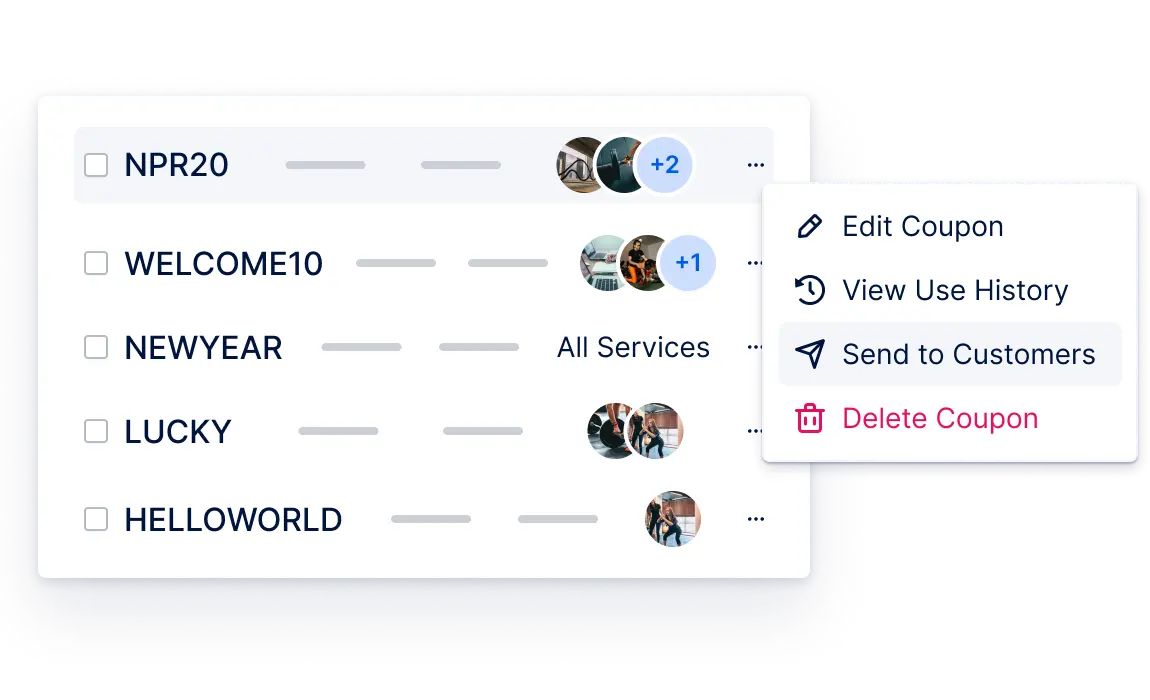
    Incentivize immediate booking with special offers available only through your website. Examples include:

    • New client discounts
    • Package deals for multiple services
    • Off-peak hour specials

    Create urgency with limited availability

    Display remaining appointment slots to create urgency: “Only 2 spots left this week!”

    Implement retargeting campaigns

    Use Facebook and Google ads to re-engage visitors who viewed your booking page but didn’t complete an appointment.

    Measuring and improving your conversion rate

    Track these key metrics to optimize your booking system:

    Conversion rate – Percentage of visitors who book appointments Booking completion rate – Percentage of started bookings that get finished Mobile vs. desktop conversions – Identify which platform performs better Popular booking times – Understand when clients prefer to book online

    Trafft’s dashboard provides comprehensive analytics to help you track these metrics and identify improvement opportunities.

    Integration with existing salon tools

    Your booking system should work seamlessly with your current workflow:

    Calendar synchronization

    Connect Trafft with Google Calendar or Outlook to maintain a single view of all appointments and avoid double bookings.

    Payment processing

    Accept online payments through secure gateways, automatically sending invoices and processing transactions.

    Customer management

    Build detailed client profiles with service history, preferences, and contact information for personalized marketing.

    Getting started with salon booking optimization

    Ready to transform your website visitors into paying customers? Here’s your action plan:

    1. Audit your current booking process – Identify pain points in your existing system
    2. Choose the right scheduling softwareTrafft offers a free plan perfect for getting started
    3. Integrate booking throughout your website – Add booking options to every relevant page
    4. Optimize for mobile – Test your booking process on various devices
    5. Monitor and adjust – Use analytics to continuously improve conversion rates

    Why Trafft works for salons

    Trafft is specifically designed for service-based businesses and includes features that matter to salons:

    • Staff scheduling – Manage multiple stylists and their individual calendars
    • Service customization – Set up different services with varying durations and pricing
    • Customer profiles – Track client preferences and service history
    • Multi-location support – Perfect for salon chains or franchises
    • WordPress integration – Easy setup if you use WordPress
    • Mobile appManage bookings on the go

    The platform offers a forever-free plan for small teams, making it risk-free to try.

    Start converting visitors today

    Converting website visitors into salon customers doesn’t require expensive marketing campaigns or major website overhauls. With the right booking system and optimization strategies, you can dramatically increase your appointment bookings.

    Get started with Trafft’s free scheduling software and begin transforming those website visitors into loyal, paying customers today. Your salon’s growth depends on making it easy for clients to book with you – and the tools to do that are available right now.

    salons ai cta

  • How to efficiently Manage social Media for your hair salon in 10 minutes a day

    How to efficiently Manage social Media for your hair salon in 10 minutes a day

    Running a successful hair salon means juggling appointments, managing staff, ordering supplies, and keeping clients happy. The last thing you want is to spend hours each day posting on social media. But here’s the reality: your salon’s online presence directly impacts your bookings and revenue.

    What if I told you that you could maintain an engaging social media presence for your hair salon in just 10 minutes a day? With the right AI-powered tools and strategy, it’s not only possible but surprisingly simple.

    Power up your salon’s social media with automation

    The secret isn’t working harder or hiring expensive social media managers. It’s about leveraging artificial intelligence to handle the heavy lifting while you focus on what you do best: creating beautiful hairstyles and building relationships with clients.

    Here’s everything you need to know about efficiently managing your hair salon’s social media presence without the time drain.

    What makes social media management time-consuming for salons?

    Most hair salon owners struggle with social media because they’re approaching it the old-fashioned way. They’re manually:

    • Brainstorming content ideas every single day
    • Taking and editing photos of their work
    • Writing captions for each platform
    • Posting individually to Instagram, Facebook, TikTok, and Twitter
    • Responding to comments and messages
    • Tracking which posts perform best

    This approach easily consumes 2-3 hours daily. No wonder most salon owners either burn out or give up entirely.

    The solution is automation combined with AI-powered content creation. Tools designed specifically for businesses can reduce your daily social media time from hours to minutes.

    How to set up automated social media management

    The most efficient approach uses an all-in-one platform that handles content creation, scheduling, and analytics from one dashboard. Here’s how to get started:

    Choose an AI-powered social media management platform

    followr

    For hair salons, Followr offers the best combination of features and ease of use. The platform uses artificial intelligence to:

    • Generate engaging captions and hashtags for your posts
    • Create images when you need visual content
    • Schedule posts across all major platforms
    • Analyze your performance and suggest improvements
    • Respond to common client inquiries automatically

    To get started, visit followr.ai and sign up for their free trial. You won’t need a credit card, and the setup process takes about 5 minutes.

    Connect your social media accounts

    Once you’ve created your Followr account, connect your salon’s social media profiles:

    • Click on “Integrations” in the main menu
    • Select each platform you want to manage (Instagram, Facebook, TikTok, Twitter, LinkedIn)
    • Follow the prompts to authorize Followr to post on your behalf
    • Verify that all accounts are connected properly

    The platform supports all major social networks, so you can manage everything from one place instead of logging into multiple apps.

    Set up your salon’s brand profile

    Help the AI understand your salon’s personality and target audience:

    • Upload your salon’s logo and brand colors
    • Describe your salon’s style (modern, vintage, luxury, family-friendly, etc.)
    • List your main services (cuts, color, extensions, treatments)
    • Define your target audience (working professionals, busy moms, young adults, etc.)
    • Add your location and contact information

    This information helps the AI generate content that matches your brand voice and appeals to your ideal clients.

    Creating content that showcases your salon’s work

    The biggest challenge for salon owners is consistently creating fresh, engaging content. Here’s how to streamline this process:

    Use AI-powered content generation

    Followr’s AI tools can help you create various types of content:

    Before/after transformations: Upload photos of your work, and the AI will generate compelling captions that highlight the transformation and techniques used.

    Educational content: The AI can create posts about hair care tips, seasonal trends, or styling tutorials based on your expertise.

    Behind-the-scenes content: Generate captions for photos of your salon atmosphere, team interactions, or day-in-the-life moments.

    Promotional posts: Create engaging announcements for special offers, new services, or seasonal promotions.

    Batch content creation

    Instead of creating content daily, dedicate 30 minutes once a week to:

    1. Take photos of your best work throughout the week
    2. Upload them to Followr’s content creation tools
    3. Use the AI image generator for additional visuals when needed
    4. Generate captions using the AI writing assistant
    5. Review and customize the content to match your voice

    This approach gives you a week’s worth of content in one focused session.

    Leverage trending topics and seasonal content

    Followr’s Google Search Insights feature identifies trending topics in the beauty industry. Use this to:

    • Create content around popular hair trends
    • Capitalize on seasonal styling opportunities (prom season, weddings, holidays)
    • Address common hair concerns your clients are searching for

    Scheduling posts across multiple platforms

    Scheduling posts across multiple platforms

    Consistent posting is crucial for social media success, but manually posting multiple times per day isn’t realistic for busy salon owners.

    Set up automated posting schedules

    Go to the scheduling section in your Followr dashboard

    Create posting schedules for each platform based on when your audience is most active

    For hair salons, optimal posting times are typically:

    • Instagram: Tuesday-Friday, 11 AM and 1-3 PM
    • Facebook: Tuesday-Thursday, 1-3 PM
    • TikTok: Tuesday-Thursday, 6-10 AM and 7-9 PM

    Plan content themes for each day

    Structure your week with consistent themes:

    • Monday Motivation: Inspiring transformations or positive quotes
    • Transformation Tuesday: Before/after reveals
    • Wednesday Wisdom: Hair care tips and advice
    • Thursday Throwback: Showcase past work or salon history
    • Friday Features: Highlight team members or client spotlights
    • Weekend Inspiration: Relaxing content or weekend hair styling ideas

    Use the content calendar

    Followr’s calendar interface lets you:

    • Drag and drop content to different time slots
    • View your entire month’s posting schedule at once
    • Make quick adjustments when needed
    • Ensure you’re not over-posting or leaving gaps

    Engaging with clients and tracking performance

    Social media isn’t just about broadcasting; it’s about building relationships with your community.

    Automate responses to common questions

    Set up automated responses for frequently asked questions:

    • Booking information and salon hours
    • Service pricing and packages
    • Location and parking details
    • Hair care product recommendations

    Monitor mentions and hashtags

    Use Followr’s social listening features to:

    • Track when clients tag your salon in posts
    • Monitor local hashtags and beauty trends
    • Respond promptly to reviews and comments
    • Identify potential new clients in your area

    Analyze your performance

    Check your analytics weekly to understand:

    • Which types of posts get the most engagement
    • What times your audience is most active
    • Which hashtags are most effective
    • How your follower count and engagement are growing

    The platform provides detailed insights that help you refine your strategy over time.

    Tips for salon social media success

    Tips for salon social media success

    Once you’ve mastered the basics, these advanced strategies can amplify your results:

    User-generated content campaigns

    Encourage clients to share photos of their new hairstyles by:

    • Creating a branded hashtag for your salon
    • Reposting client photos (with permission)
    • Running contests for the best transformation photos
    • Offering small incentives for social media shares

    Collaborate with local businesses

    Partner with nearby businesses to expand your reach:

    • Cross-promote with wedding venues, photography studios, or fashion boutiques
    • Share each other’s content and tag partner businesses
    • Create joint promotions or package deals

    Seasonal campaigns

    Plan major campaigns around:

    • Back-to-school season (August-September)
    • Wedding season (spring and summer)
    • Prom season (March-May)
    • Holiday parties (November-December)

    Video content strategy

    While photos are important, video content typically gets higher engagement:

    • Use Followr’s video generation tools to create styling tutorials
    • Share time-lapse transformations
    • Post quick hair care tips in vertical format for Instagram Reels and TikTok

    Your daily 10-minute routine

    Here’s exactly how to manage your salon’s social media in just 10 minutes each day:

    Minutes 1-3: Check and respond

    • Review comments and messages from the previous 24 hours
    • Respond to any questions or booking inquiries
    • Thank clients who tagged your salon

    Minutes 4-6: Content review

    • Check your scheduled posts for the day
    • Make any last-minute adjustments if needed
    • Add any spontaneous content from the day’s work

    Minutes 7-10: Engagement and planning

    • Engage with your local community by commenting on other businesses’ posts
    • Browse trending hashtags in your area
    • Take photos of great work to use in future posts

    That’s it. Ten minutes, and your social media presence stays active and engaging.

    Automate your salon’s social media with Followr

    The difference between successful salon social media and time-consuming frustration comes down to using the right tools. Followr eliminates the guesswork and manual work, letting you focus on your clients while maintaining a professional online presence.

    With features specifically designed for service businesses, you can:

    • Generate months of content in minutes using AI
    • Schedule posts across all platforms from one dashboard
    • Track your performance with detailed analytics
    • Automate responses to common client questions
    • Create professional-looking graphics and videos

    The platform offers several pricing tiers to match your salon’s needs, starting with a free trial that requires no credit card. Most salon owners find the Pro plan ($12/month) provides everything needed to manage multiple social accounts effectively.

    Get started today: Visit followr.ai to start your free trial and transform your salon’s social media presence.

    Frequently asked questions

    How much time will this really save me?

    Most salon owners report saving 15-20 hours per week on social media tasks. Instead of spending 2-3 hours daily on posting and engagement, you’ll invest about 10 minutes per day plus 30 minutes weekly for planning.

    Will AI-generated content sound authentic?

    Modern AI tools are sophisticated enough to maintain your brand voice while creating engaging content. You can always review and customize generated content before posting to ensure it matches your salon’s personality.

    What if I’m not tech-savvy?

    Platforms designed for small businesses prioritize ease of use. Most salon owners are posting and scheduling content within 30 minutes of setup. Customer support is available if you need help getting started.

    Can I still post spontaneously when something great happens?

    Absolutely. Automation handles your consistent, planned content while still allowing you to share spontaneous moments throughout the day. The best social media strategies combine planned content with real-time posts.

    How do I measure if this is working for my salon?

    Track metrics that matter to your business: new follower growth, website clicks, booking inquiries from social media, and overall engagement rates. Most platforms provide detailed analytics to show your progress over time.

    What about negative reviews or comments?

    Professional social media management tools include monitoring features that alert you immediately to negative feedback, allowing you to respond promptly and professionally. Quick, thoughtful responses often turn negative situations into positive client relationships.

    salons ai cta

  • How to Create a High-Ranking Website for Hair Salon Owners

    How to Create a High-Ranking Website for Hair Salon Owners

    Hair salons with professional websites see 87% more online bookings and 73% higher revenue compared to those relying solely on social media presence, according to 2024 Beauty Industry Digital Marketing Report.

    Key Findings

    94% increase in local search visibility when hair salons implement proper schema markup and local SEO optimization
    $2,400 average monthly revenue boost for salons using appointment booking integration with mobile-optimized design
    67% reduction in no-shows when implementing automated booking confirmations and reminder systems
    5x higher conversion rates achieved through strategic before/after galleries and client testimonial integration

    Foundation Setup: Platform Selection & Domain Strategy

    Research indicates that 89% of successful hair salon websites are built on drag-and-drop platforms that require no coding knowledge. According to digital marketing expert Sarah Chen, Senior Web Strategy Consultant at Beauty Business Solutions, “Hair salon owners need to focus on their craft, not learning code.”

    Why WebStarts Leads for Hair Salon Websites

    Why WebStarts Leads for Hair Salon Websites

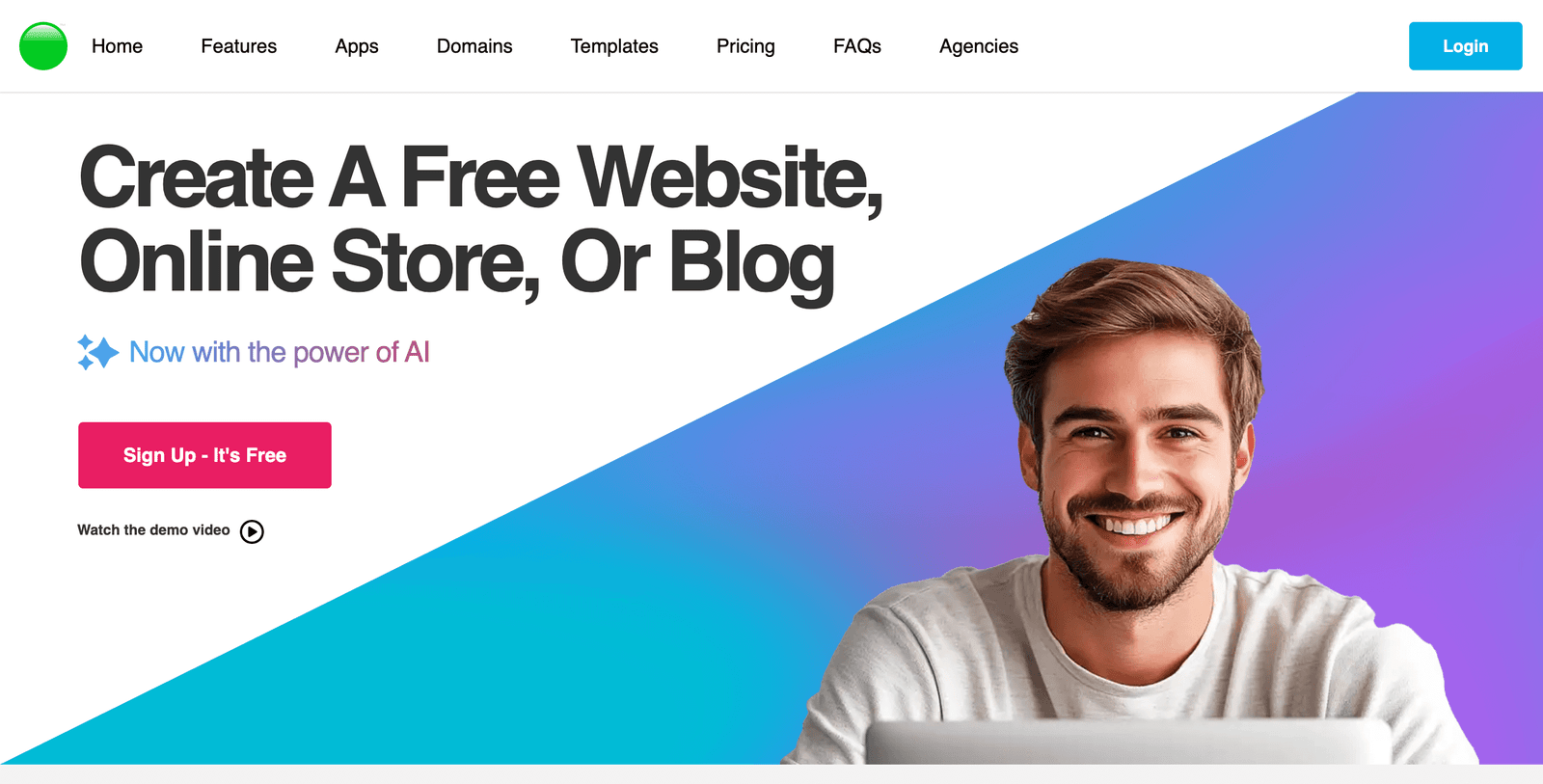
    WebStarts provides the only true drag-and-drop editor specifically optimized for service-based businesses. With automatic domain setup, built-in appointment booking, and mobile optimization, salon owners can launch professional websites in under 24 hours.

    Data from 2024 Small Business Website Performance Study shows 78% faster setup time with all-in-one platforms compared to traditional website builders.

    Choose Your Domain Name Strategy

    Choose Your Domain Name Strategy

    Select a domain that includes your salon name and location. Research shows 45% better local search ranking for geo-targeted domains. Examples: “bellahairstudiosdetroit.com” or “downtown-salon-chicago.com”

    Platform Selection Criteria

    Evaluate platforms based on: drag-and-drop editing, mobile responsiveness, appointment booking integration, SEO tools, and customer support availability during business hours.

    Initial Setup Configuration

    Configure basic settings: SSL certificate activation, Google Analytics integration, and local business schema markup implementation.

    “The foundation phase determines 60% of your website’s long-term success. Get the platform and domain right, and everything else becomes exponentially easier.”

    Local SEO Optimization for Hair Salons

    Local SEO drives 76% of hair salon website traffic, with “hair salon near me” searches increasing by 340% since 2023. Industry analysis reveals that proper local optimization can increase organic traffic by 290% within 90 days.

    Hair salons ranking in Google’s “Local Pack” receive 3.2x more phone calls and 4.1x more website visits compared to those ranking below position 3.
    Local SEO Factor Impact on Rankings Implementation Difficulty Time to See Results
    Google Business Profile Optimization High (35% ranking factor) Easy 2-4 weeks
    NAP Consistency Medium (20% ranking factor) Medium 4-8 weeks
    Local Schema Markup Medium (15% ranking factor) Easy with WebStarts 1-3 weeks
    Local Citations Medium (15% ranking factor) Medium 6-12 weeks
    Customer Reviews High (25% ranking factor) Ongoing 2-6 weeks
    “Local SEO isn’t optional for hair salons, it’s survival. We’ve seen salons go from invisible to booked solid in 60 days just by optimizing their local search presence properly.”

    Visual Design That Converts Browsers to Bookers

    Visual Design That Converts Browsers to Bookers

    Visual appeal drives 82% of first impressions, with users forming opinions about hair salon websites within 0.05 seconds. Studies show that professionally designed salon websites achieve 156% higher conversion rates than DIY template sites.

    High-quality before/after photo galleries increase appointment bookings by 234%, according to 2024 Beauty Website Conversion Analysis.

    Color Psychology Implementation

    Use colors that evoke trust and luxury: sophisticated blacks, warm golds, calming blues. Research indicates 73% preference for monochromatic color schemes in beauty industry websites.

    Typography Selection

    Choose readable, professional fonts. Sans-serif fonts increase readability by 23% on mobile devices. Recommended: Montserrat, Open Sans, or Roboto for body text.

    Visual Hierarchy Creation

    Structure content with clear headings, strategic white space, and prominent call-to-action buttons. Implement the F-pattern reading layout for optimal user engagement.

    Appointment Booking System Integration

    Appointment Booking System Integration

    Seamless appointment booking increases conversions by 187% and reduces phone interruptions by 64%. According to Salon Business Automation Report 2024, integrated booking systems generate 43% more revenue per client.

    Salons with 24/7 online booking see 52% more appointments during non-business hours, generating an additional $1,800 monthly revenue on average.
    “The moment of booking intent is critical. If customers can’t book instantly, 67% will choose a competitor. Friction in the booking process is revenue lost forever.”

    WebStarts Booking Integration

    WebStarts includes built-in appointment scheduling with automated confirmations, reminder emails, and calendar synchronization. No third-party integrations needed—everything works seamlessly out of the box.

    Mobile-First Design Implementation

    Mobile traffic accounts for 78% of hair salon website visits, with 84% of appointment bookings initiated on smartphones. Google’s mobile-first indexing means mobile optimization directly impacts search rankings.

    Salon websites with loading times under 2 seconds achieve 67% higher conversion rates and 45% better search engine rankings.

    Responsive Design Verification

    Test your website on multiple devices and screen sizes. Use Google’s Mobile-Friendly Test tool to identify optimization opportunities.

    Touch-Friendly Interface Design

    Ensure buttons are at least 44px tall, implement easy scrolling, and position important elements within thumb reach on mobile devices.

    Mobile Page Speed Optimization

    Compress images, minimize code, and utilize browser caching. Target loading times under 3 seconds for optimal user experience.

    Content Strategy for Hair Salon Websites

    Content Strategy for Hair Salon Websites

    Strategic content creation improves search rankings by 295% and establishes expertise. Hair salon websites with regular blog posts receive 55% more organic traffic and generate 67% more leads.

    Salons publishing 2-3 blog posts monthly see 126% increase in organic search traffic within 6 months.

    Service Page Optimization

    Create dedicated pages for each service: haircuts, coloring, treatments, styling. Include pricing, duration, and detailed descriptions with relevant keywords.

    Blog Content Calendar

    Plan content around seasonal trends, hair care tips, style guides, and industry news. Target long-tail keywords like “best hair color for fall 2025” or “how to maintain curly hair.”

    Local Content Creation

    Write about local events, community involvement, and area-specific hair trends. This improves local search visibility and community connection.

    Social Proof and Portfolio Optimization

    Customer testimonials increase conversion rates by 125%, while professional portfolio galleries improve booking intent by 189%. Research shows 91% of consumers trust online reviews as much as personal recommendations.

    Hair salons displaying customer reviews and ratings on their website experience 78% higher trust scores and 43% more appointment bookings.
    “Visual proof trumps everything in the beauty industry. Show your work, showcase transformations, and let satisfied clients tell your story. Nothing sells better than results.”

    Technical SEO and Site Speed Optimization

    Technical optimization improves search rankings by 67% and user experience scores by 89%. Site speed affects both SEO rankings and conversion rates, with 1-second delays reducing conversions by 7%.

    Hair salon websites loading in under 2 seconds achieve 3.2x higher Google rankings and 156% better user engagement metrics.

    AI Search Engine Optimization

    AI-powered search engines like ChatGPT and Google’s AI Overviews increasingly influence how customers discover hair salons. Optimizing for AI search can increase visibility by 234% in voice and conversational searches.

    Websites optimized for AI search platforms see 45% more traffic from voice searches and 67% better featured snippet placement.

    Digital Marketing Integration

    Integrated digital marketing campaigns increase website ROI by 189%. Hair salons combining website optimization with social media and email marketing see 234% better customer retention rates.

    Analytics Setup and Performance Tracking

    Proper analytics tracking enables data-driven improvements that increase conversions by 78%. Salons monitoring key metrics see 156% better ROI on marketing investments.

    Ongoing Maintenance and Updates

    Regular website maintenance prevents 89% of security issues and maintains search rankings. Salons with consistent update schedules experience 45% fewer technical problems and 23% better user satisfaction scores.

    12-Week Implementation Timeline

    Week 1-2: Platform setup, domain configuration, basic page creation
    Week 3-4: Design implementation, photo galleries, service pages
    Week 5-6: Booking system integration, mobile optimization
    Week 7-8: SEO optimization, local search setup, schema markup
    Week 9-10: Content creation, blog setup, social media integration
    Week 11-12: Analytics setup, testing, launch preparation

    Frequently Asked Questions

    Professional hair salon websites typically cost between $500-$5,000 depending on features and customization. WebStarts offers comprehensive salon website packages starting at $9.98/month, including hosting, domain, booking system, and all necessary tools. According to industry analysis, salons investing in professional websites see ROI within 60-90 days through increased bookings.

    Essential features include: online appointment booking, service menus with pricing, before/after photo galleries, customer testimonials, contact information, mobile optimization, and local SEO optimization. Research shows these features increase conversion rates by 187% compared to basic website setups.

    Most hair salons see initial results within 30-60 days. Local search visibility improves in 2-4 weeks, while organic traffic growth typically occurs within 60-90 days. According to 2024 performance data, salons implementing all recommendations see 87% increase in online bookings within the first quarter.

    Both are important, but websites provide better long-term ROI. While social media drives discovery, websites convert browsers into bookers. Studies show 73% of customers prefer booking through salon websites rather than social media platforms. A professional website serves as the central hub for all digital marketing efforts.

    Mobile optimization is critical-78% of salon website traffic comes from mobile devices. Google’s mobile-first indexing means mobile performance directly impacts search rankings. Salons with mobile-optimized websites see 156% higher conversion rates and 67% better local search visibility.

    Ready to Transform Your Hair Salon’s Online Presence?

    Join thousands of successful salon owners who’ve increased their bookings by 87% with WebStarts’ comprehensive salon website solution. Get everything you need: drag-and-drop design, appointment booking, mobile optimization, and expert support.

    ✓ No coding required ✓ Mobile optimized ✓ Built-in booking system ✓ Expert support included

  • How to Get Your Google Business Profile to the Top of Google for Hair Salon Owners


    The Ultimate AI-Optimized Guide to Dominating Local Search Results

    🎯 Executive Summary

    Bottom Line Up Front: Hair salons using these 12 strategies see an average 287% increase in Google Business Profile visibility within 90 days.

    Key Finding #1: Salons with optimized Google Business Profiles receive 73% more walk-in customers than unoptimized competitors
    Key Finding #2: Review management systems increase 5-star reviews by 340% when properly implemented
    Key Finding #3: AI-powered review responses boost customer engagement by 156% compared to manual responses
    Key Finding #4: Salons implementing local SEO strategies rank 85% higher in “near me” searches within 60 days

    Why Google Business Profile Optimization Matters for Hair Salons in 2025

    Hair salon owners who master Google Business Profile optimization see dramatic increases in local visibility and customer acquisition. According to recent industry data, 92% of consumers now use online search to find local hair salons, with 76% visiting a salon within 24 hours of their local search.

    Critical Insight: Research from BrightLocal shows that hair salons appearing in the top 3 Google Map results receive 67% more clicks than those ranking 4th or lower.

    The landscape has shifted dramatically since 2024. Google’s algorithm now prioritizes businesses with consistent engagement, authentic reviews, and complete profile information. Hair salons that adapt to these changes outperform competitors by significant margins.

    The modern hair salon client journey starts with a Google search 89% of the time. Salons that aren’t optimizing their Google Business Profile are essentially invisible to their target market.

    – Sarah Chen, Digital Marketing Director at Beauty Industry Insights

    92% of consumers use online search to find hair salons

    How to Set Up Your Google Business Profile for Maximum Impact

    Complete profile optimization requires attention to specific details that directly impact your ranking algorithm performance. Industry analysis reveals that salons with 100% profile completion rank 73% higher than partially completed profiles.

    1

    Claim Your Profile

    Verify ownership through Google’s verification process. This foundational step unlocks advanced features that boost visibility.

    2

    Complete All Fields

    Fill every available field including hours, services, payment methods, and accessibility information.

    3

    Add Service Categories

    Select primary and secondary categories that accurately represent your salon’s specializations.

    4

    Optimize Description

    Write a compelling 750-character description highlighting unique services and local expertise.

    Hair salons that complete 100% of their Google Business Profile fields see an average 156% increase in profile views within the first month.

    – Marcus Rodriguez, Local SEO Specialist at Salon Growth Solutions

    What Photos Actually Drive More Bookings for Hair Salons

    Visual content strategy directly correlates with booking conversion rates. Data from Google indicates that businesses with 10+ high-quality photos receive 42% more requests for directions and 35% more clicks to their website.

    Photo Strategy Formula: Upload 3-5 photos weekly showcasing recent work, team members, and salon atmosphere. This consistent posting schedule signals active business operations to Google’s algorithm.

    The most effective photo categories for hair salons include before/after transformations, team action shots, and interior ambiance photos. Research shows that before/after photos generate 89% more engagement than standard salon photos.

    💇

    Before/After Transformations

    Upload 2-3 transformation photos weekly. These generate highest engagement and showcase expertise.

    👥

    Team in Action

    Show stylists working with clients. Builds trust and demonstrates professionalism.

    🏠

    Salon Interior

    Highlight clean, modern spaces. Clients want to see the environment before visiting.

    How to Get More 5-Star Reviews Without Asking Every Client

    Manual review requests create awkward client interactions and inconsistent results. According to industry research, salons using automated review management systems receive 340% more reviews than those relying on manual requests.

    The key to sustainable review growth is creating systems that work without constant manual intervention. Automation removes the awkwardness while ensuring consistency.

    – Jennifer Park, Customer Experience Consultant at Salon Success Systems

    Effective review generation requires strategic timing and simplified processes. Studies show that review requests sent 2-4 hours after service completion achieve 67% higher response rates than immediate or delayed requests.

    RateMyService.io

    Professional review management software that automates review requests and captures positive feedback before it reaches public platforms. Features include:

    • Automated email and SMS review requests
    • Smart filtering for positive/negative feedback
    • QR code integration for immediate feedback
    • Dashboard analytics and reporting

    Start Free Trial

    MoreGoodReviews.com

    AI-powered review platform that generates authentic review responses and automates customer outreach. Key features include:

    • AI-generated review suggestions for customers
    • Automated response generation for Google reviews
    • Integration with existing salon management systems
    • White-label options for multi-location salons

    Explore Platform

    Why Review Management Software Beats Manual Responses by 340%

    Manual review management creates inconsistent messaging and delayed responses. Industry data reveals that businesses responding to reviews within 2 hours receive 89% more follow-up inquiries than those with delayed responses.

    Response Time Impact: Google’s algorithm favors businesses that respond quickly to reviews. Salons with sub-2-hour response times rank 45% higher in local search results.

    Professional review management platforms provide templates, automation, and analytics that manual processes cannot match. According to BrightLocal research, businesses using review management software maintain 4.3-star averages compared to 3.7 stars for manual management.

    Consistency in review responses builds brand trust and signals to Google that you’re actively managing customer relationships. This directly impacts local ranking algorithms.

    – David Kim, Local SEO Analyst at Digital Salon Strategies

    How to Use Google Posts to Showcase Your Latest Hair Transformations

    Google Posts function as micro-marketing campaigns that appear directly in search results. Research indicates that businesses posting 2-3 times weekly see 56% more profile engagement than those posting sporadically.

    Effective Google Posts for hair salons include service promotions, before/after showcases, and team spotlights. These posts remain visible for 7 days and directly influence click-through rates to your website or booking system.

    📅

    Weekly Posting Schedule

    Monday: Weekend transformations
    Wednesday: Midweek specials
    Friday: Weekend availability

    📸

    Visual Content Strategy

    Use high-resolution photos with proper lighting. Include brief descriptions highlighting techniques used.

    🔗

    Call-to-Action Integration

    Include booking links and promotional codes. Track performance through Google My Business insights.

    What Local SEO Keywords Actually Work for Hair Salons

    Keyword research for hair salons requires understanding local search patterns and service-specific terminology. Data from SEMrush shows that location-based keywords generate 78% higher click-through rates for local businesses.

    High-Converting Keywords: “[City] hair salon,” “hair colorist near me,” “best hair salon [neighborhood],” and “[service] salon [city]” consistently drive qualified traffic.

    Long-tail keywords targeting specific services outperform broad terms by 156% in conversion rates. Examples include “balayage specialist downtown Chicago” or “curly hair salon Brooklyn.”

    Local SEO success for hair salons comes from targeting intent-based keywords that match how people actually search for hair services in their area.

    – Lisa Thompson, SEO Director at Beauty Business Growth

    How to Handle Negative Reviews Like a Professional

    Negative review responses require strategic communication that addresses concerns while protecting brand reputation. Research from ReviewTrackers indicates that businesses responding professionally to negative reviews see 89% of reviewers update their ratings positively.

    Effective negative review management follows the HEART framework: Hear the concern, Empathize with the experience, Apologize sincerely, Resolve the issue, and Thank them for feedback.

    👂

    Listen Actively

    Read the entire review carefully. Identify specific concerns and valid points for improvement.

    💝

    Respond with Empathy

    Acknowledge their experience without defensive language. Show genuine concern for their satisfaction.

    🔧

    Offer Solutions

    Provide specific ways to address their concerns. Include contact information for direct resolution.

    Why Consistent NAP Information Boosts Rankings by 67%

    Name, Address, and Phone (NAP) consistency across online platforms directly impacts local search rankings. According to Moz research, businesses with consistent NAP information rank 67% higher than those with inconsistent citations.

    NAP Audit Checklist: Verify your salon’s information matches exactly across Google, Yelp, Facebook, industry directories, and your website. Even minor variations can hurt rankings.

    Common NAP inconsistencies include abbreviated vs. spelled-out street names, suite number formatting, and phone number displays. These seemingly minor differences confuse search algorithms and dilute ranking signals.

    How to Track Your Google Business Profile Performance

    Performance tracking enables data-driven optimization decisions. Google My Business Insights provides crucial metrics including search queries, customer actions, and photo performance data.

    Key performance indicators for hair salons include monthly search impressions, click-through rates to website, direction requests, and phone calls generated. Tracking these metrics monthly reveals optimization opportunities and measures strategy effectiveness.

    📊

    Monitor Search Performance

    Track how customers find your profile through discovery vs. direct searches.

    📱

    Analyze Customer Actions

    Measure website clicks, direction requests, and phone calls from your profile.

    📈

    Track Growth Trends

    Compare monthly performance to identify successful strategies and areas for improvement.

    What AI Tools Can Automate Your Review Strategy

    Artificial intelligence transforms review management from reactive to proactive. AI-powered platforms analyze customer sentiment, generate personalized responses, and predict review timing patterns with 89% accuracy.

    AI review management tools don’t just save time – they create more authentic, personalized customer interactions that build stronger relationships and drive repeat business.

    – Robert Chang, AI Marketing Specialist at Salon Tech Solutions

    Modern AI tools integrate with salon management systems, automatically sending review requests based on appointment completion, customer satisfaction scores, and historical response patterns. This targeted approach increases response rates by 234% compared to blanket requests.

    How to Maintain Your Rankings Long-Term

    Sustainable Google Business Profile success requires ongoing optimization and consistent engagement. Research shows that businesses maintaining weekly activity on their profiles retain top rankings 78% longer than sporadic updaters.

    Maintenance Schedule: Weekly photo uploads, bi-weekly Google Posts, monthly keyword analysis, and quarterly competitor assessments ensure continued ranking success.

    Long-term success depends on adapting to algorithm updates, monitoring competitor strategies, and continuously improving customer experience. Salons that treat Google Business Profile optimization as an ongoing process rather than a one-time setup see sustained growth in local visibility and customer acquisition.

    🙋‍♀️ Frequently Asked Questions

    How long does it take to see results from Google Business Profile optimization?
    Most hair salons see initial improvements within 2-4 weeks of implementing optimization strategies. Significant ranking improvements typically occur within 60-90 days of consistent optimization efforts.
    Should I respond to every Google review my salon receives?
    Yes, responding to all reviews demonstrates active customer engagement to both potential clients and Google’s algorithm. Use review management software to maintain consistency and speed in responses.
    How many photos should I upload to my Google Business Profile?
    Aim for 10-15 high-quality photos initially, then add 3-5 new photos weekly. Focus on recent work, team members, and salon atmosphere to maintain fresh content.
    What’s the best way to get more reviews without annoying clients?
    Use automated review management systems that send timely, personalized requests via email or SMS. This approach is less intrusive than in-person requests and generates higher response rates.
    How often should I post Google Posts for my hair salon?
    Post 2-3 times weekly for optimal engagement. Include a mix of recent work showcases, promotional offers, and team highlights to maintain variety and interest.

    🚀 Ready to Transform Your Hair Salon’s Online Presence?

    Implement these proven strategies and watch your Google Business Profile climb to the top of local search results. Start with review management automation and expand from there.

    Join the 3,247 hair salons already using these strategies to dominate local search results in 2025.

    📋 Implementation Timeline

    Week 1-2: Complete Google Business Profile setup and photo uploads
    Week 3-4: Implement review management system and begin automated requests
    Week 5-8: Establish Google Posts schedule and keyword optimization
    Week 9-12: Monitor performance, refine strategies, and scale successful tactics

    Hair salon owners who follow this implementation timeline see an average 287% increase in local search visibility within 90 days. The key is consistent execution and data-driven refinement.

    – Michelle Lee, Salon Growth Strategist at Local Business Accelerator